Case study · Product design
Designing Self-Serve Onboarding
Replacing a three-hour, human-guided setup with a flow the product runs itself.
- Role
- Product Designer
- Sector
- B2B SaaS — Healthcare / Security
- Scope
- Discovery, flow mapping, end-to-end UX
- Status
- In rollout · company omitted
The problem
Onboarding was a person, not a product. Every new customer cost CS and Support hours of repeated setup work.
What I did
Observed a live setup call, mapped every manual step, then split the work into what a user could own and what still needed a human.
The outcome
A guided onboarding wizard that carries the setup sequence itself — shifting the user from “call a specialist” to “follow the product.”
There was no self-serve onboarding. Setup happened by an admin working through the existing console, piece by piece, with a Support engineer on the call.
The product had all the features, but nothing tied them into a sequence. What tied them together was a long setup document and a person reading it out loud. New users didn't fail because a screen was confusing — they failed because they had no idea which screen came next.
That didn't scale. CS and Support spent hours per customer on repetitive configuration instead of the complex cases only they could handle, and the cost grew linearly with every new account.
One configuration call I sat in on ran over three hours with engineers on the line. The setup did complete — but that was the going rate for every hard case.
Rather than work from secondhand complaints, I sat in on a live setup session with a Support engineer and a new user.
Watching it happen surfaced friction that written feedback never reported — because to the people living it, the workarounds had stopped feeling like problems.
Kickoff call
Support opens the console and shares screen
Console tour
User waits while each area is located for them
Credentials
Prerequisites surface only once the step fails
Validation
Support confirms the setup is correct
I mapped every step CS and Support walked users through, then drew the line: what genuinely needs a human, and what a user could own.
| Configuration | Integration setup | Validation | |
|---|---|---|---|
| User | Answers questions, waits for direction | Supplies credentials | |
| Customer Success | Walks the admin through each screen | Coordinates scheduling | |
| Support engineer | Sets configuration on the call | Connects and debugs the integration | Confirms setup is correct |
Steps the user could own without a person
Moves to self-serve
- Prerequisites, checked before setup begins
- Product configuration — org settings, users, roles
- Standard integrations, guided connect and test
Stays with a person
- Non-standard, complex integrations
- Regulated, sector-specific edge cases
- Escalations and mid-setup troubleshooting
Progressive setup, not one long form
Sequential, focused steps let users finish setup without first understanding the whole system — the knowledge that used to live in the Support engineer's head.
Designing without full testing access
With no existing flow to test against, I built the early steps from observed behavior and Support's domain knowledge, then validated assumptions as the flow took shape.
A wizard that carries the sequence, so the user doesn't have to
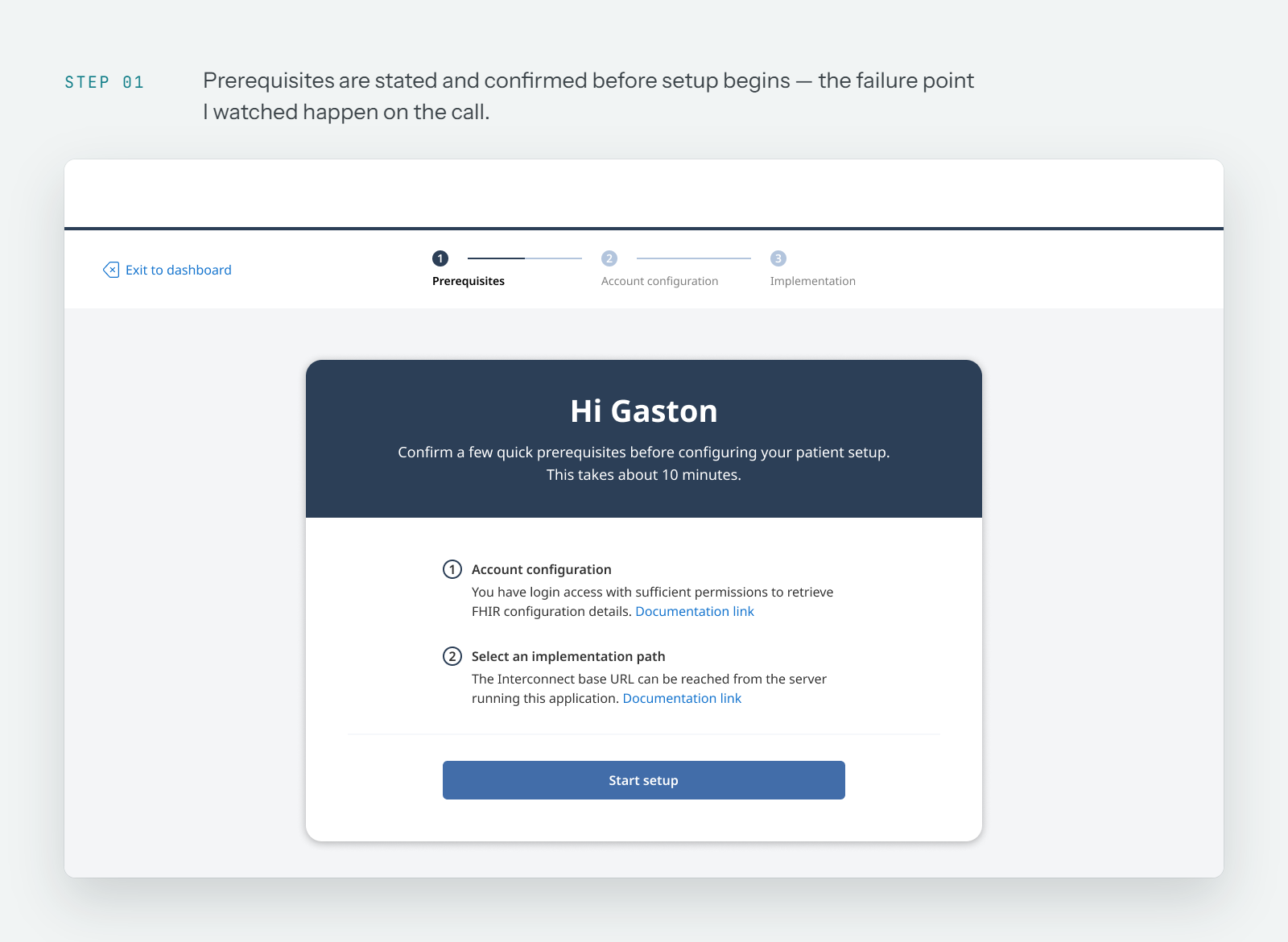
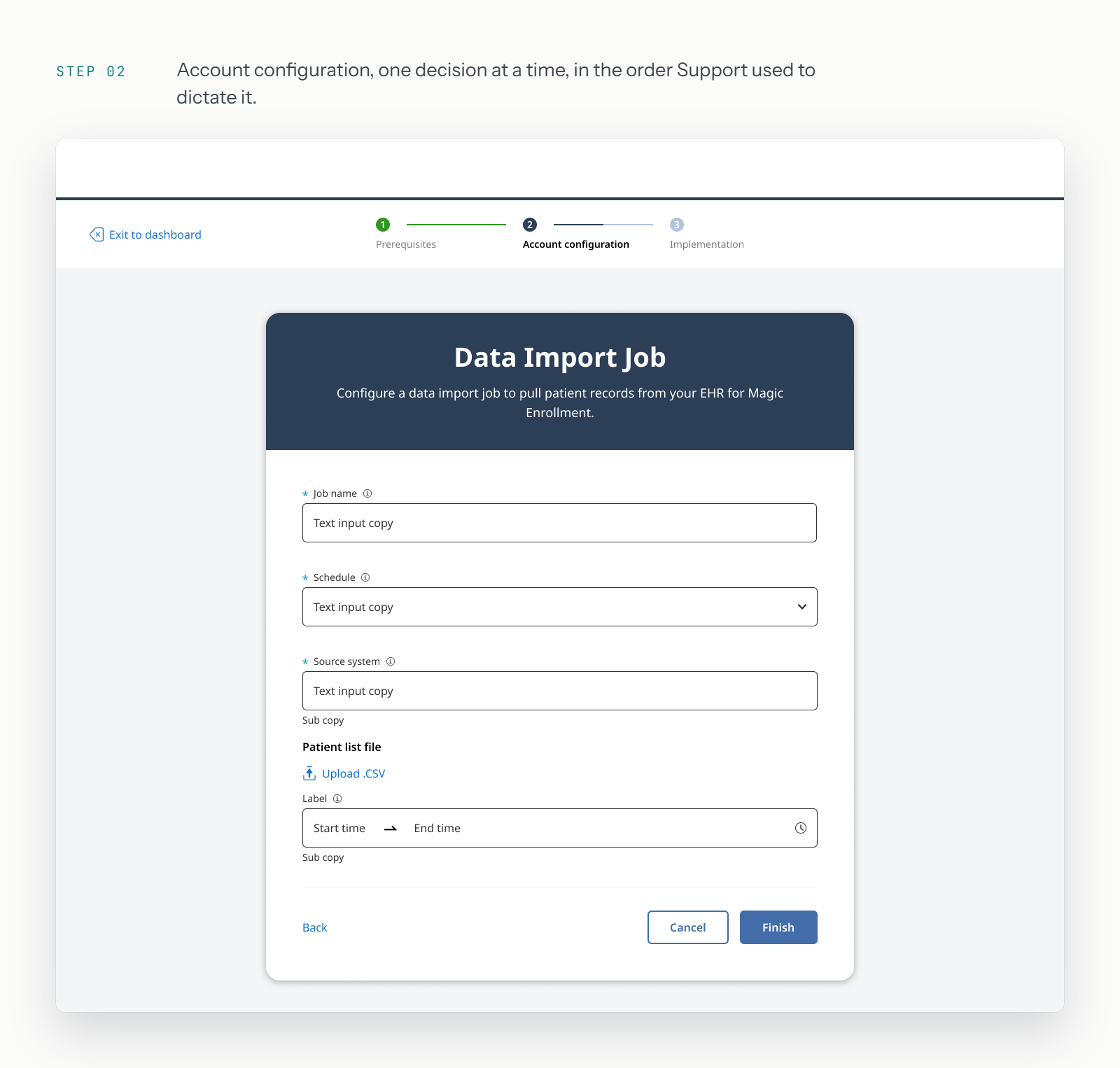
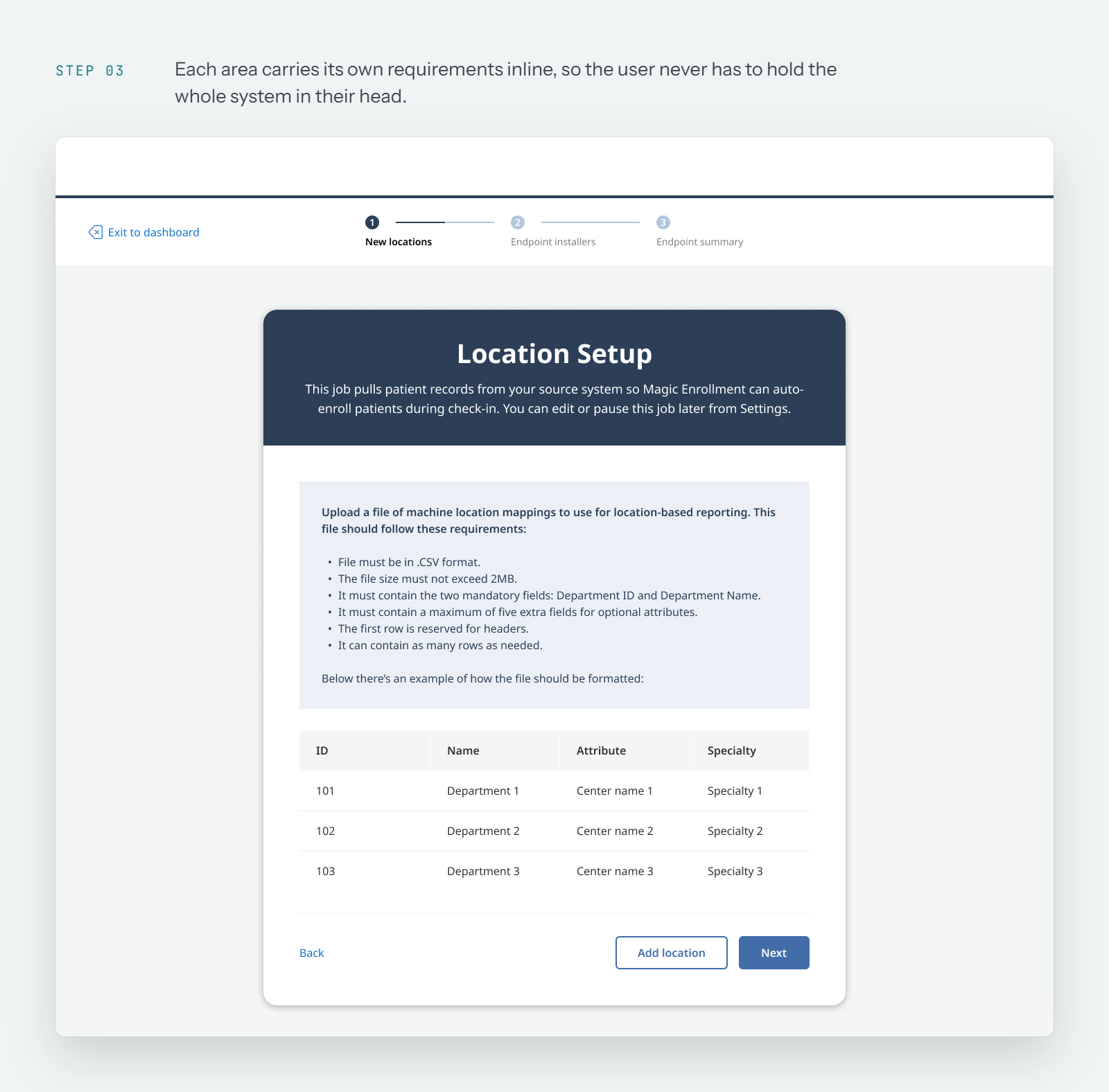
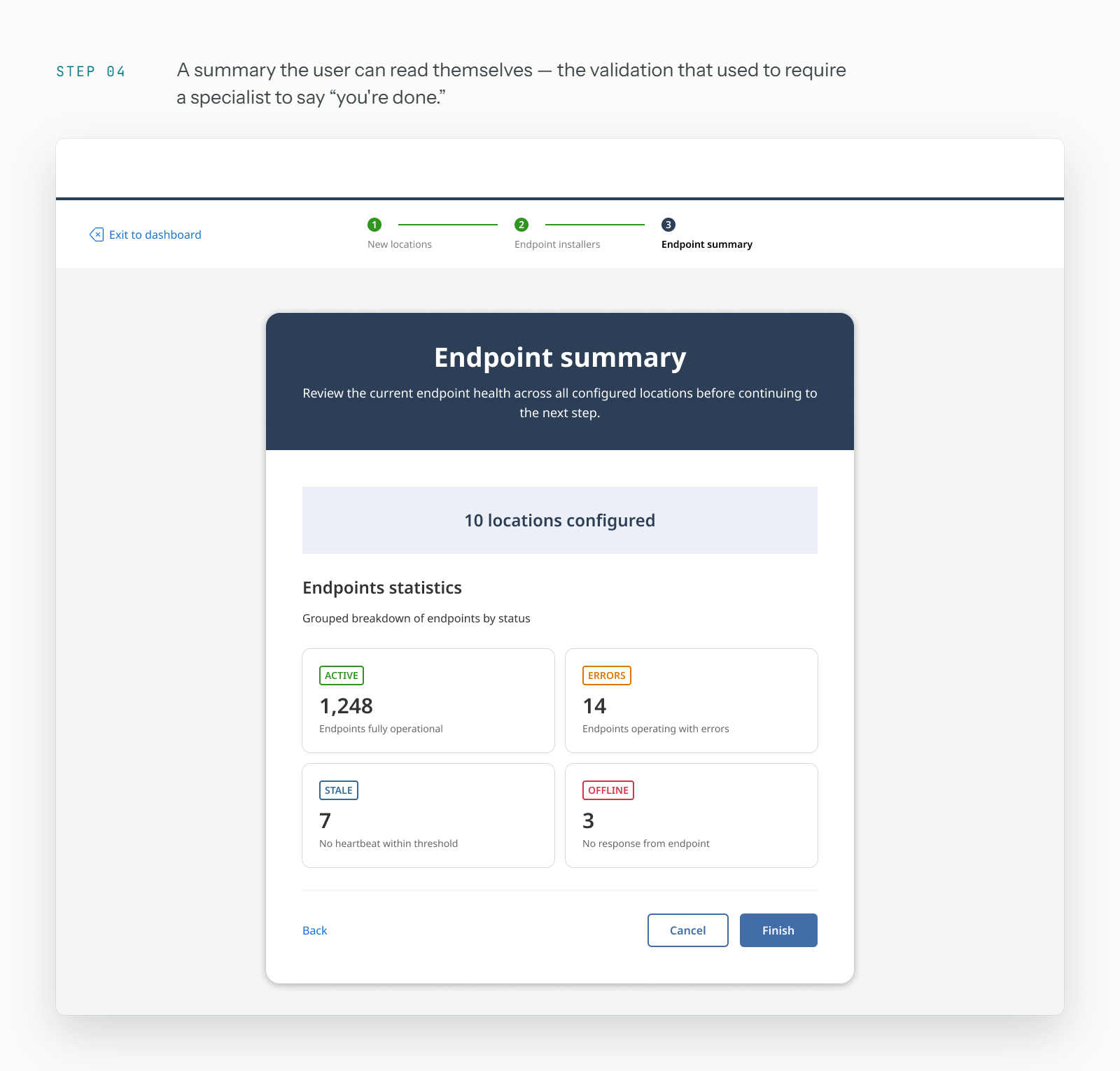
One connected flow across each area of the product. Prerequisites surface before the step that needs them, and the flow closes with the confirmation Support used to give on the call.
- 01
Prerequisites
Stated before setup begins
- 02
Account configuration
One decision at a time
- 03
Location setup
Requirements stated inline
- 04
Summary
Validated in-product
Partnered with the PM to scope and prioritize the flow, and iterated with engineering on the integrations that were technically expensive. Some couldn't be fully automated in the first release, so we shipped the guided path for standard cases and left an explicit hand-off to Support for the rest.
Where it stands
The project is recent, so there's no closed-loop metric yet — it's in rollout and observation. The measure we'll watch is Support hours per new account.
What I learned
Translating scattered, qualitative feedback into concrete design decisions — and moving without waiting for perfect data.